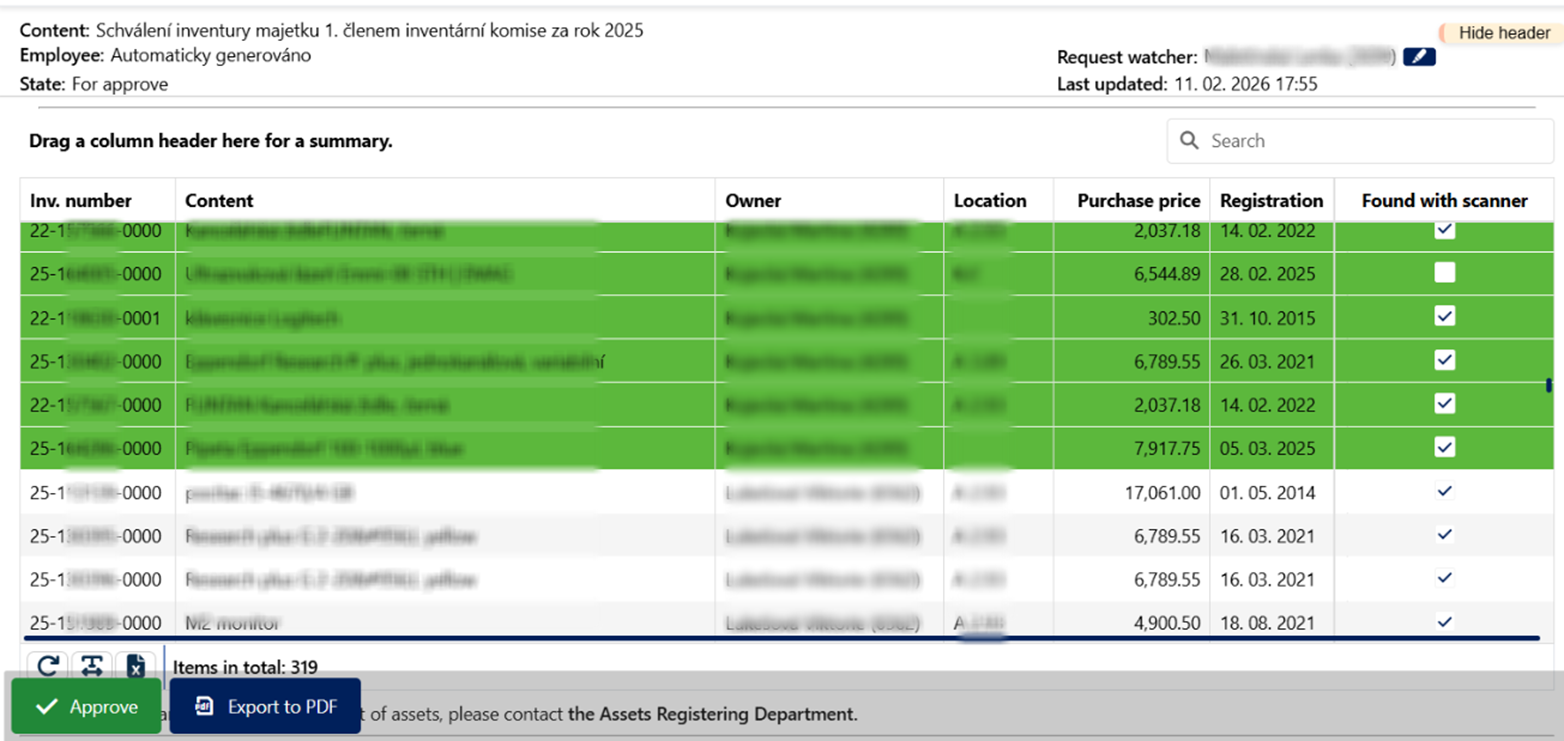
Each employee for whom assets are recorded will receive a request for approval containing a list of assets. The inventory list must be approved by Wednesday, February 25, 2026, at the latest.
The procedure is the same as for approving any other request:
- The approver will receive an informational e-mail with a click-through to Albina.
- The inventory for approval will be saved in Albina under "Required my action".
- The request can only be "Approve" (contact the Assets Registering Department if there are discrepancies in the asset list)
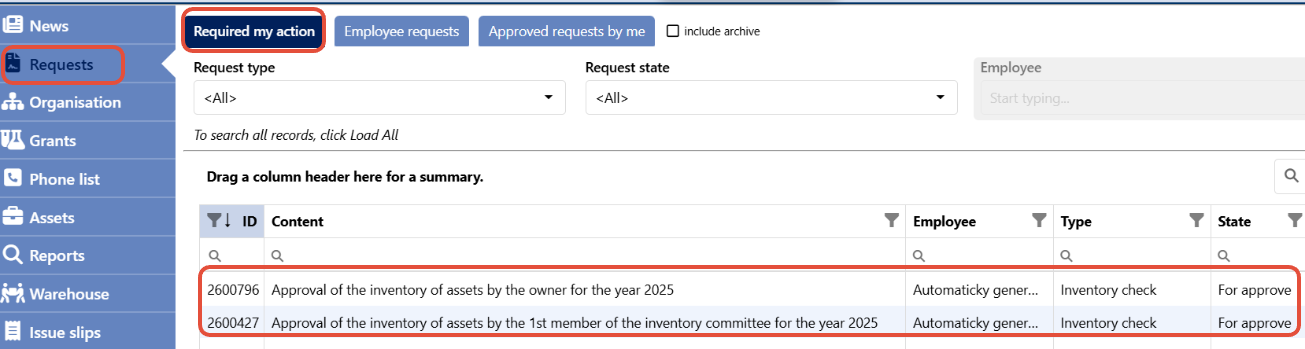
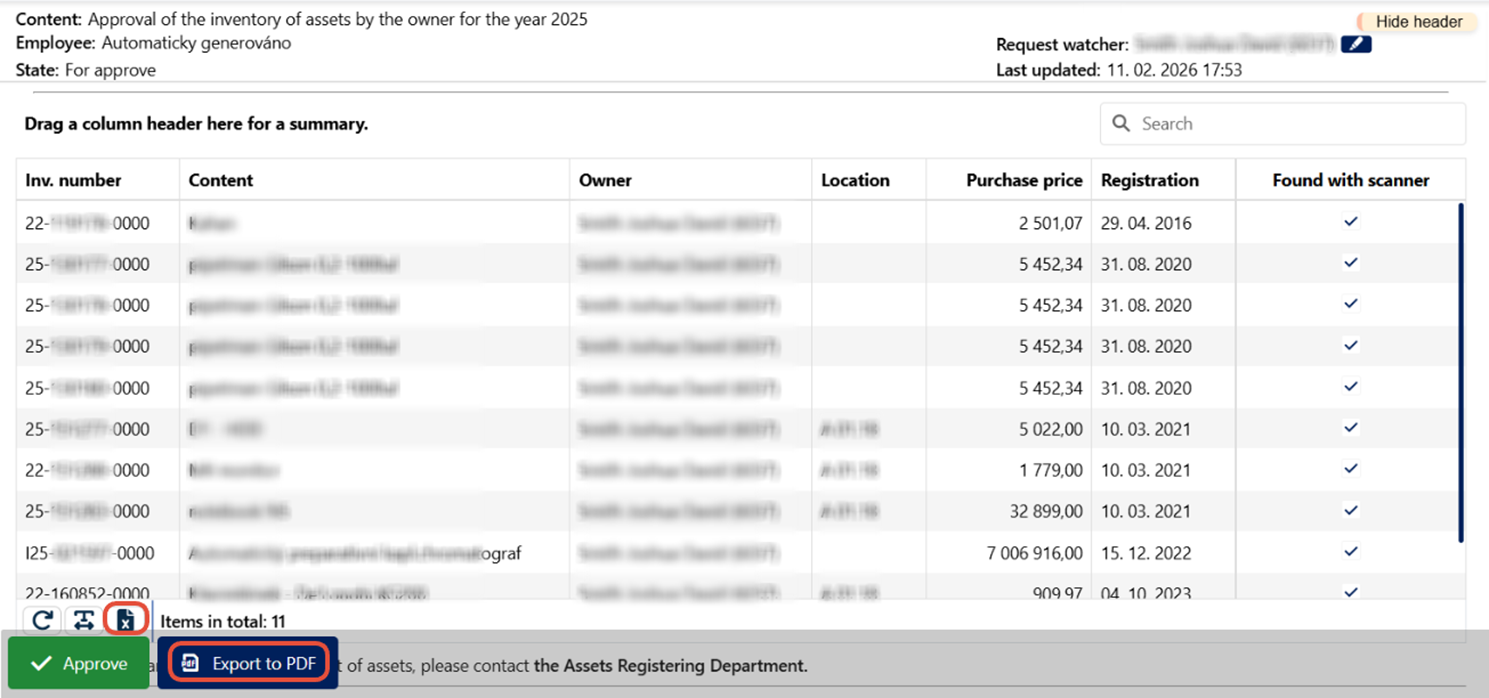
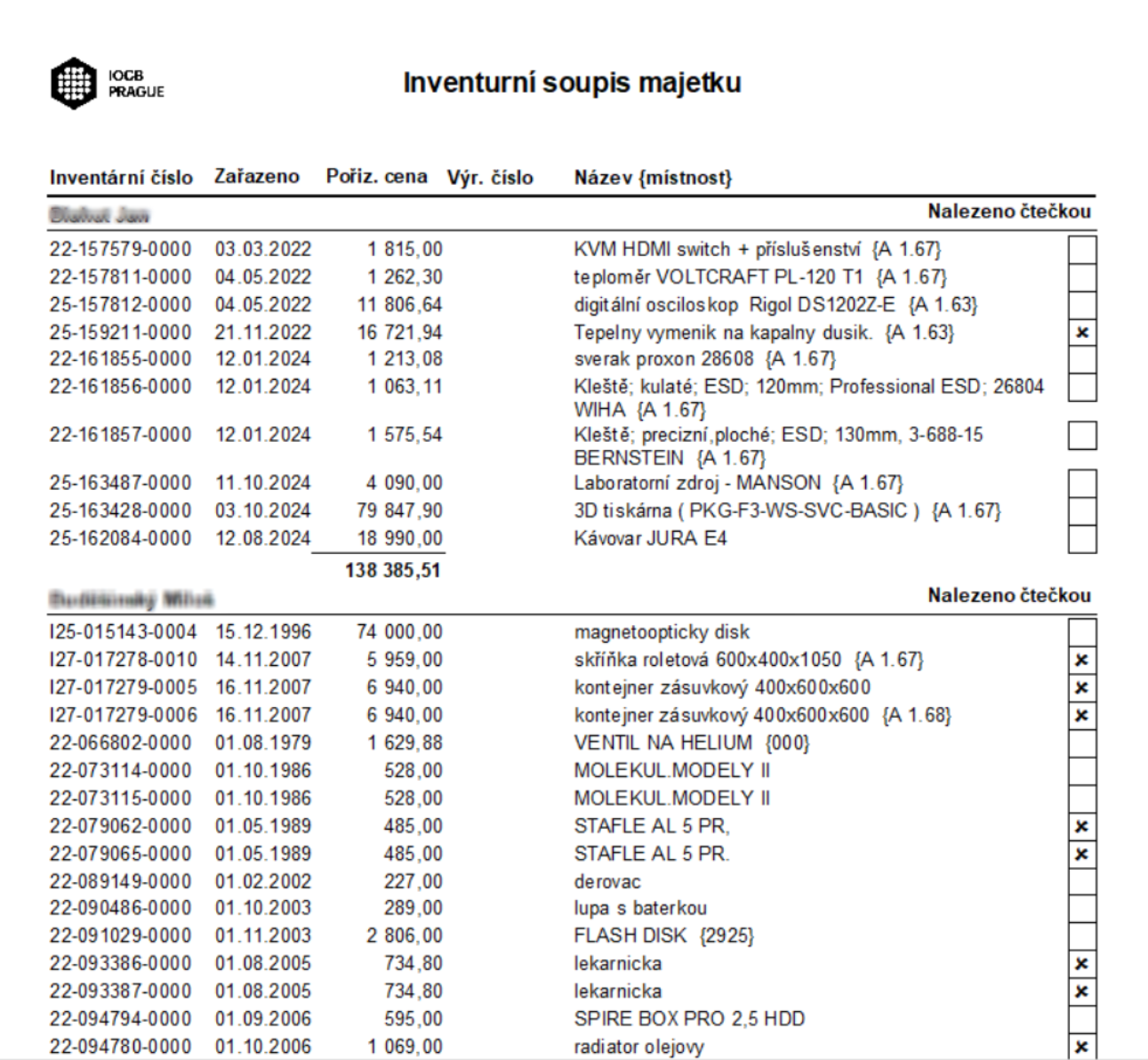
Click on the request details to find a table that you can save as a PDF or convert to Excel.
If the employee is a member of the inventory committee they will receive another request for approval. After opening the request details, committee members can see whether the property has already been approved by the owner. If it has already been approved, it is marked in green.